Tacos TV menu
template for Canva
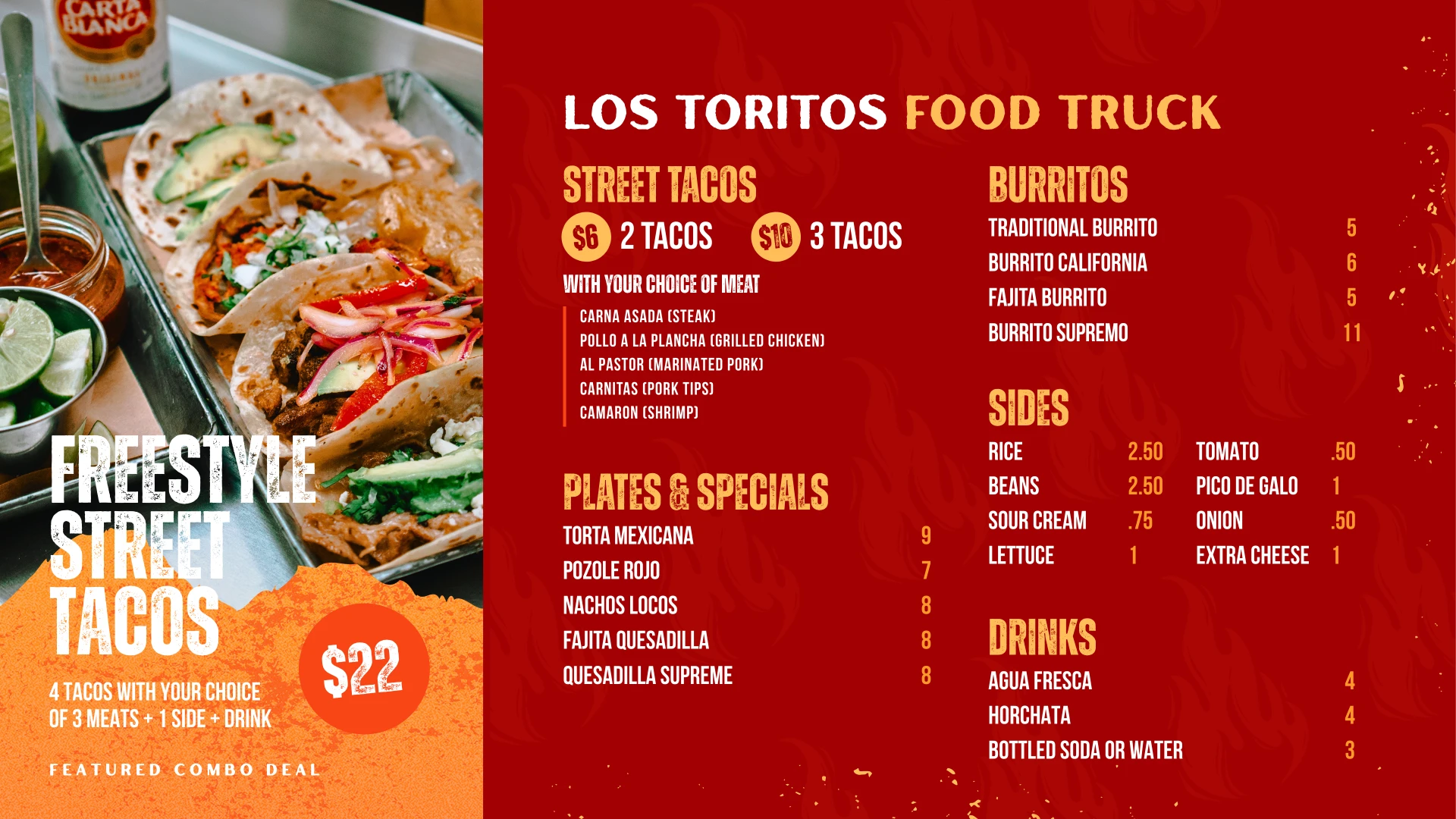
Animated Canva TV menu templates for taco trucks and Mexican restaurants.
- Canva Free
- 4K
- 16:9 ratio

You want a successful food business, but it demands more of you than you thought.
Bookkeeping, staff, events, and now you’re expected to be a graphic designer and marketer? It’s too much for one person to keep up.
That’s why I created this expertly designed Canva menu template. You deserve an easy and quick solution that helps your customers get to the point of smacking down the cash. A solution that looks like you hired an expensive pro designer.
- Manager
- Bookkeeper
- Staff scheduler
- Social media manager
Graphic designer
You wear enough hats. Designer shouldn’t be one of them.
Make it easy with 9 animated TV menu templates that look custom-made. Type in your prices, drop in your photos and get back to running your restaurant.
What’s included
Taco TV Menu
Editable Canva templates for taco trucks and Mexican restaurants
5.0 Etsy shop rating- 4 menu boards options
- 5 specials and promo screens
- Animated design, 4K, 16:9
- Edit for free in Canva. No pro required.
Vivid animated menu designs
-
Eye-catching animations
Motion draws attention to your menu from across the room.
-
Easy to promote specials
Give your featured combo its own screen while people are deciding what to order.
-
Look like the Big Guys
Matching menus and promo screens give your counter a polished look.

Over 20 years of design experience
This isn’t my first rodeo. I know exactly what you need to make a killer menu and I’ve included those insights in this product. After 20 years in design & marketing, I’m becoming the expert in your corner. I’ll be your edge against the Big Guys.
 Evan Olsen Studios Tallahassee, Florida Visit my Etsy shop (opens in a new tab)
What does editing in Canva look like?
Open Canva and click. Drop in a photo, type in prices, done. No design software and no learning curve.
- Click any item or price and type the new one
- Drag your own photos into place
- Works in Canva Free, in your browser
No designer required
How it works
- 01
Buy on Etsy
Check out securely on Etsy and download the PDF that comes with your order. - 02
Open the PDF
Click the white “Access the Template” button inside the PDF. Canva.com opens with the templates shared with you. - 03
Click “Use template”
Your own copy opens in the Canva editor right in your browser. There’s no app to download. - 04
Make it yours
Drag in your photos, type in your items and prices, and your new menu is ready for the screen. - 05
Export the menus
Save your menus as animated videos or single images. - 06
Display it on your TV
Play the files from a flash drive on a TV that supports USB playback, or use a NEUMI 4K media player.
Etsy shop reviews
Buyers say it’s as easy as it looks.
★★★★★“Download was user friendly and template was exactly as described and easy to customize. We love our new menu board!”
Emily · Etsy buyer, café menu
★★★★★“Great looking. Just what I needed”
Wynton · Etsy buyer
Related products
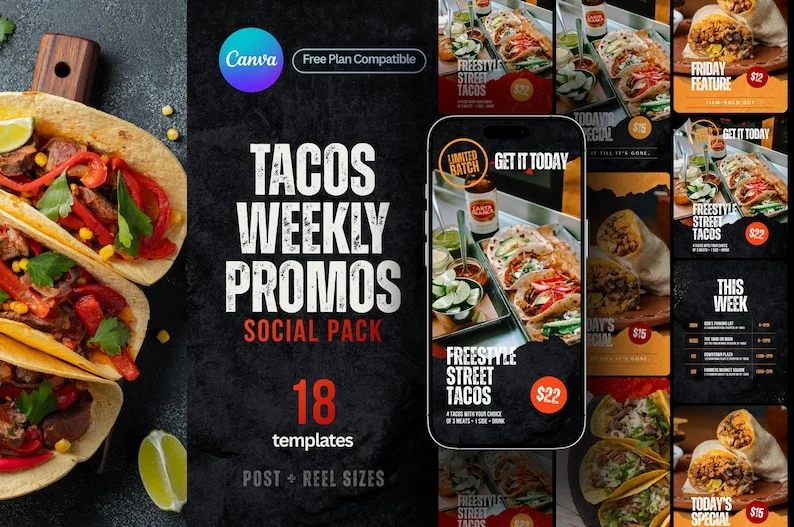
Tacos Weekly Promos Kit
Post today’s special or let customers know when it sells out. Includes 8 Canva post templates and 8 Reel-sized versions.
$18 View on Etsy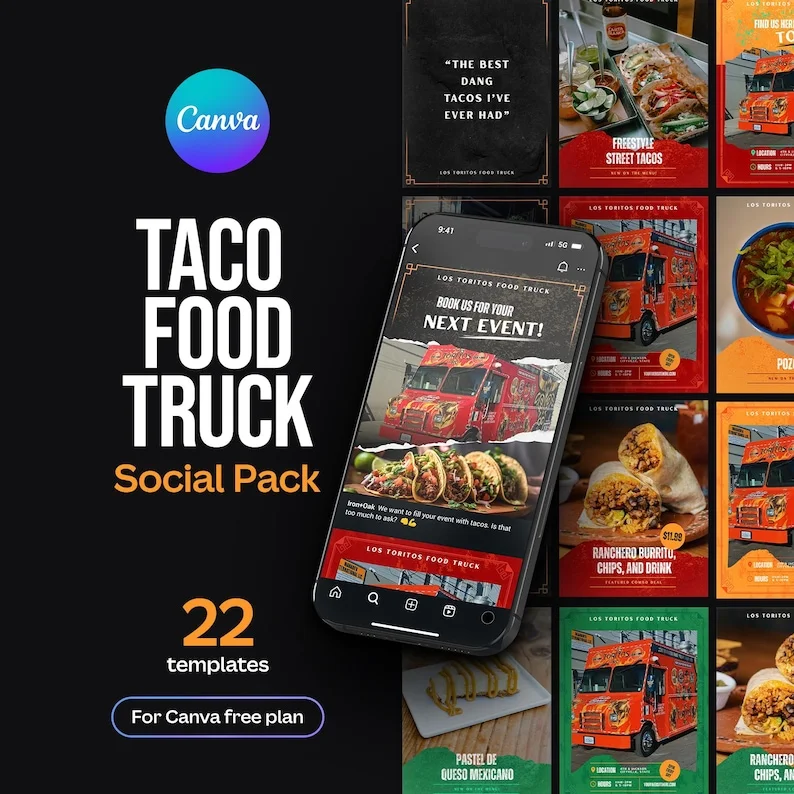
Taco Food Truck Social Posts
Show customers where you’ll be parked, what’s on the menu, and how to book your truck for their next event.
$27 View on EtsyFrequently asked questions
Message me through Etsy if you have any questions not answered here.
What comes with the taco TV menu?
You get 4 menu boards for tacos, burritos, plates, sides, and drinks. You also get 5 promo screens: one for your name or logo, one “Now Serving” screen, and three “New on the Menu” designs for featured items.
What do I download from Etsy?
Once your payment clears, download the PDF from your Etsy order. Open it, click “Access the Template,” and choose “Use template” to make your own copy in Canva. Nothing is shipped.
Do I need Canva Pro?
A free Canva account is enough. Every element in the taco templates is free, so you can edit in your browser and export your menu without watermarks.
Can I change the prices, colors, and menu sections?
Yes. Click a price or item name and type your own. You can also change the colors and section headings. Some pieces are locked to keep the layout in place while you edit. Unlock them in Canva if you want to move them.
Can I use photos of my own food?
Yes. Upload your photo to Canva and drag it onto the taco or burrito photo you want to replace. On mobile, tap the photo and choose “Replace.”
How do I play the menu on my TV?
Each design fits a 16:9 widescreen TV at 4K (3840 × 2160). Export a video to keep the animation, or save a still image. Play the file from a USB drive if your TV supports it, or use a media player such as the NEUMI.
Can I return, exchange, or cancel my order?
Etsy does not allow returns, exchanges, or cancellations for instant digital downloads. If you have trouble with your order or your Canva link, message me through Etsy so I can help.
Can I use the templates for my taco truck or restaurant?
Yes. You can use them for your own business menus and branding. The license does not allow you to resell, share, or redistribute the templates, even after editing them.
Was AI used to design these templates?
No. All graphics were made without generative AI.